Blog
Get booking requests through your social media profile
Someone sees your work on social media and wants to hire you. Give them an easy next step.
Your Shookio booking link lets customers send their details and request an appointment—even while you’re busy on a job.
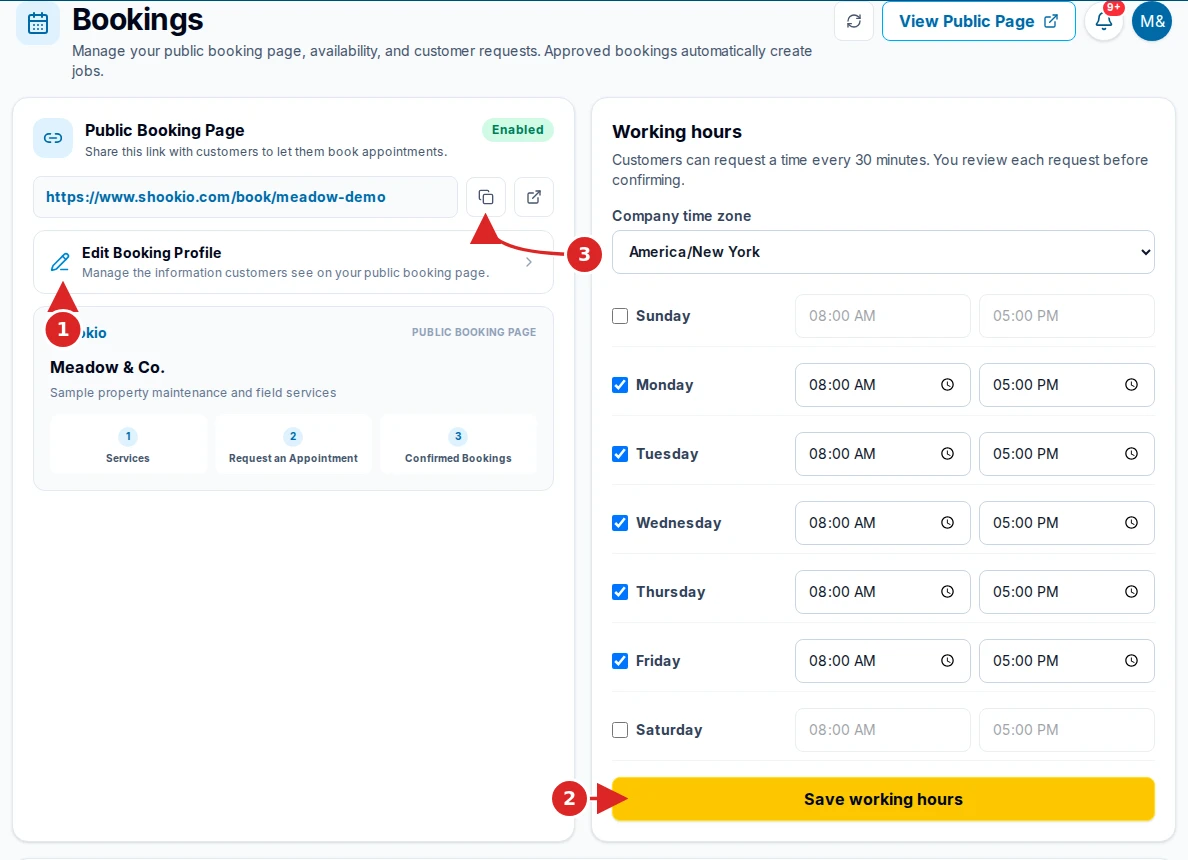
- Open Bookings, set up your public booking page, and enable it.
- Set and save your working hours.
- Copy your booking link and add it to your social media profile.
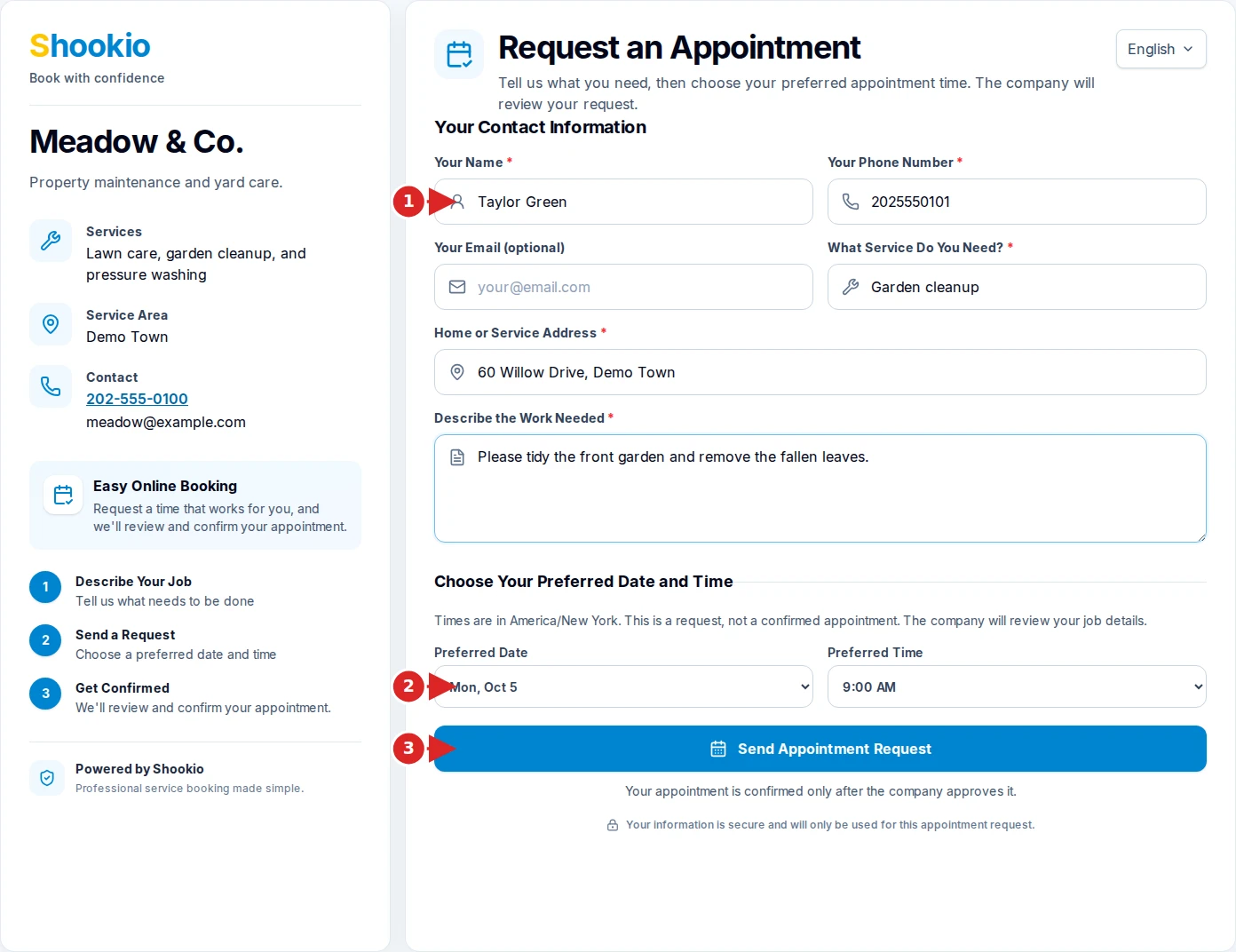
- Customers tap the link, describe the work, enter their contact details and address, and request a time.
- Review the request, make any needed changes, and select Approve & Create Job.
The request becomes a work order without typing everything again. Fewer messages to sort through, and the details are in one place.
Appointments are only confirmed after you approve them.