Article language: English
Gutter Cleaning Software for Small Businesses: Jobs, Crews and Payments
From the first service request to the final payment: see how Shookio helps small gutter-cleaning businesses organize jobs, assign crews and get paid.
Gutter cleaning software helps you keep customer requests, schedules, crew assignments, job records and billing in one place. For a small business, the best choice is one you can use from your phone and keep using when the fall schedule gets busy.
Shookio brings those daily tasks together: review a request, assign the crew, track the work, send an invoice and give the customer a way to pay through Stripe. This guide shows that workflow using Shookio screenshots, with arrows and circles highlighting the important controls.
Try it during your busy season. Request Shookio’s three-month free fall offer for your chosen service-business plan. We’ll email you a special signup link. A card is required when activating the trial; regular plan pricing applies afterward unless you cancel before the trial ends.
In this guide: What to look for · Booking requests · Scheduling crews · Tracking work · Invoices and Stripe · Pricing and trial · FAQs
What should gutter cleaning software do?
Think about an ordinary workday. Someone asks for a quote while you are on another job. Your helper needs the next address. Rain changes the afternoon schedule. A homeowner asks whether the invoice has been paid.
The software should help you answer those questions without searching several text threads.
| Daily task | What to look for |
|---|---|
| Capture new work | A booking page that collects the service request and customer details |
| Plan the day | Scheduled jobs with a date, time, address and assigned crew |
| Explain the work | Job notes that say what is included and what needs attention |
| Track progress | Status updates and a record of completed work |
| Bill the customer | Estimates and invoices connected to your workflow |
| Accept payment | A clear checkout, QR code or payment link |
| Prepare for next season | Job history and recurring work tools |
Start with the tasks you repeat every week. If you need automatic route optimization or a particular accounting integration, verify those requirements separately before choosing any platform.
1. Turn customer requests into jobs
Share your Shookio booking page on your website, social profile or in a customer message. The homeowner can describe the work and request an appointment. You review the request before approving it.
For gutter cleaning, ask for a useful description: which gutters need attention, whether downspouts are included, and any access details you need before quoting or scheduling. Keep the final scope and price clear before work begins.
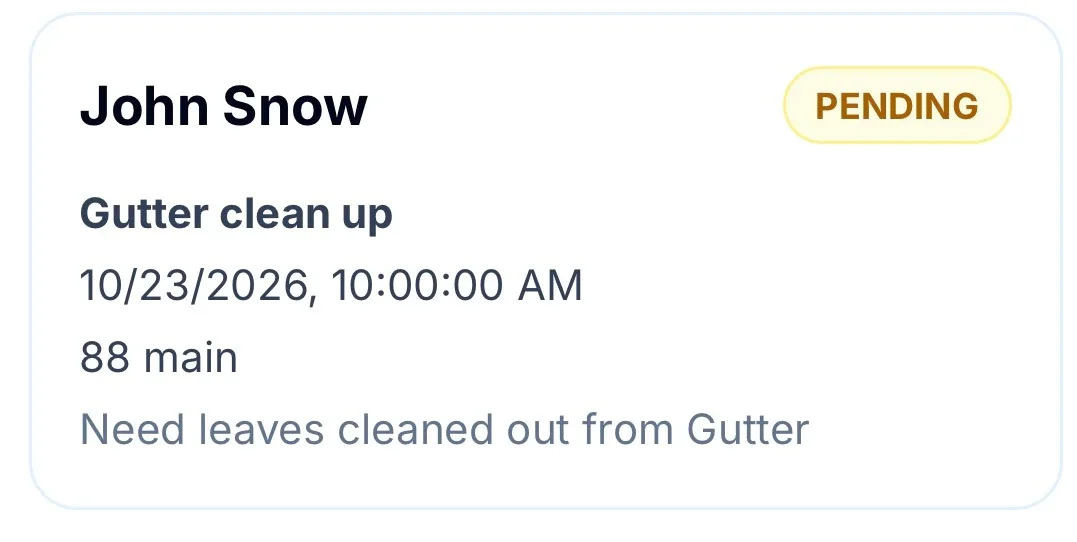
The request stays pending while the business reviews it. A requested appointment is not yet an approved job.
In the request details, choose the lead worker, set the expected duration and add helpers if needed. Then select Approve & Create Job. That moves the approved request into your job workflow.
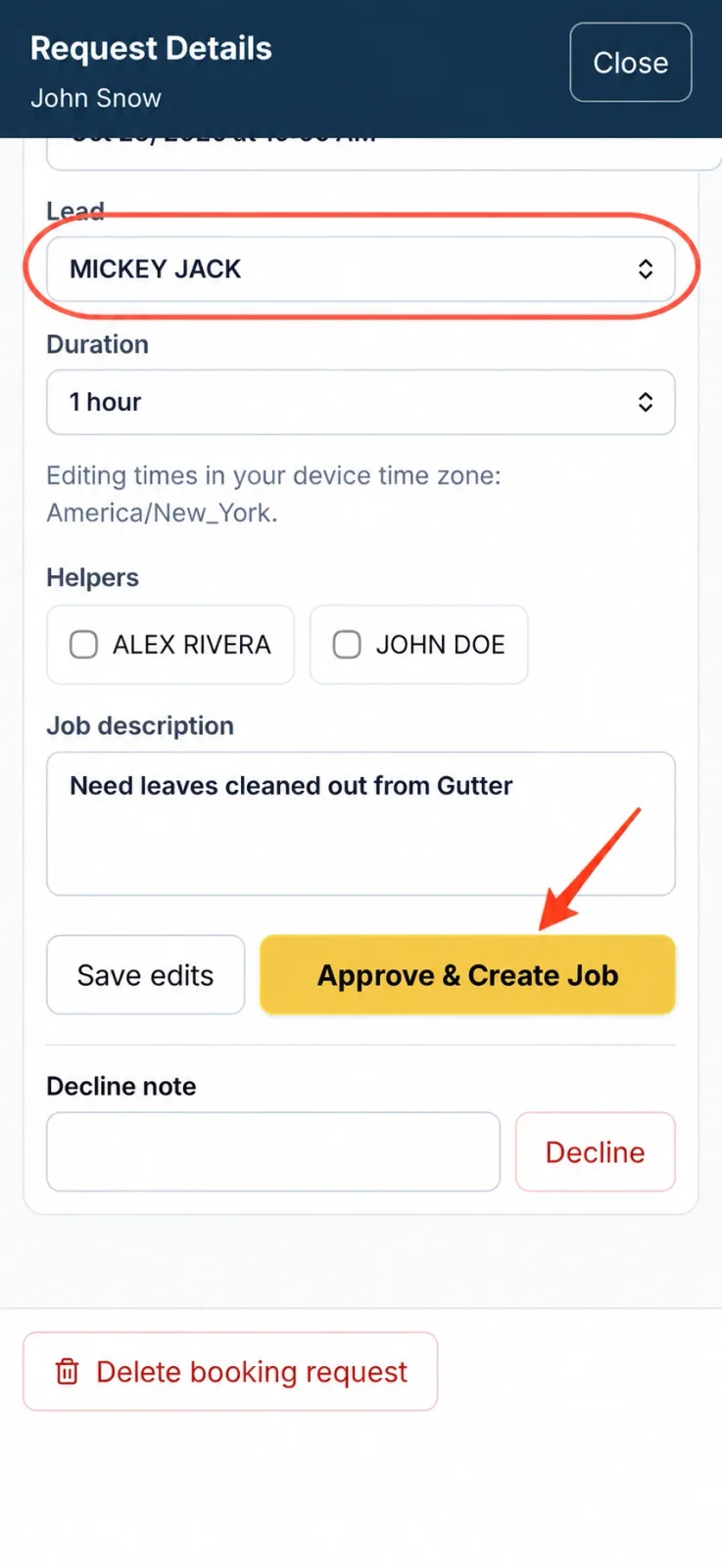
The circle highlights the lead assignment. The arrow shows the button that approves the request and creates the job.
You can also create jobs directly when a customer calls or books through another channel. Read the booking profile walkthrough for more detail on the public request form.
2. Schedule gutter jobs and assign your crew
A useful schedule tells you more than the appointment time. It should show who is going, where they are working and what the customer expects.
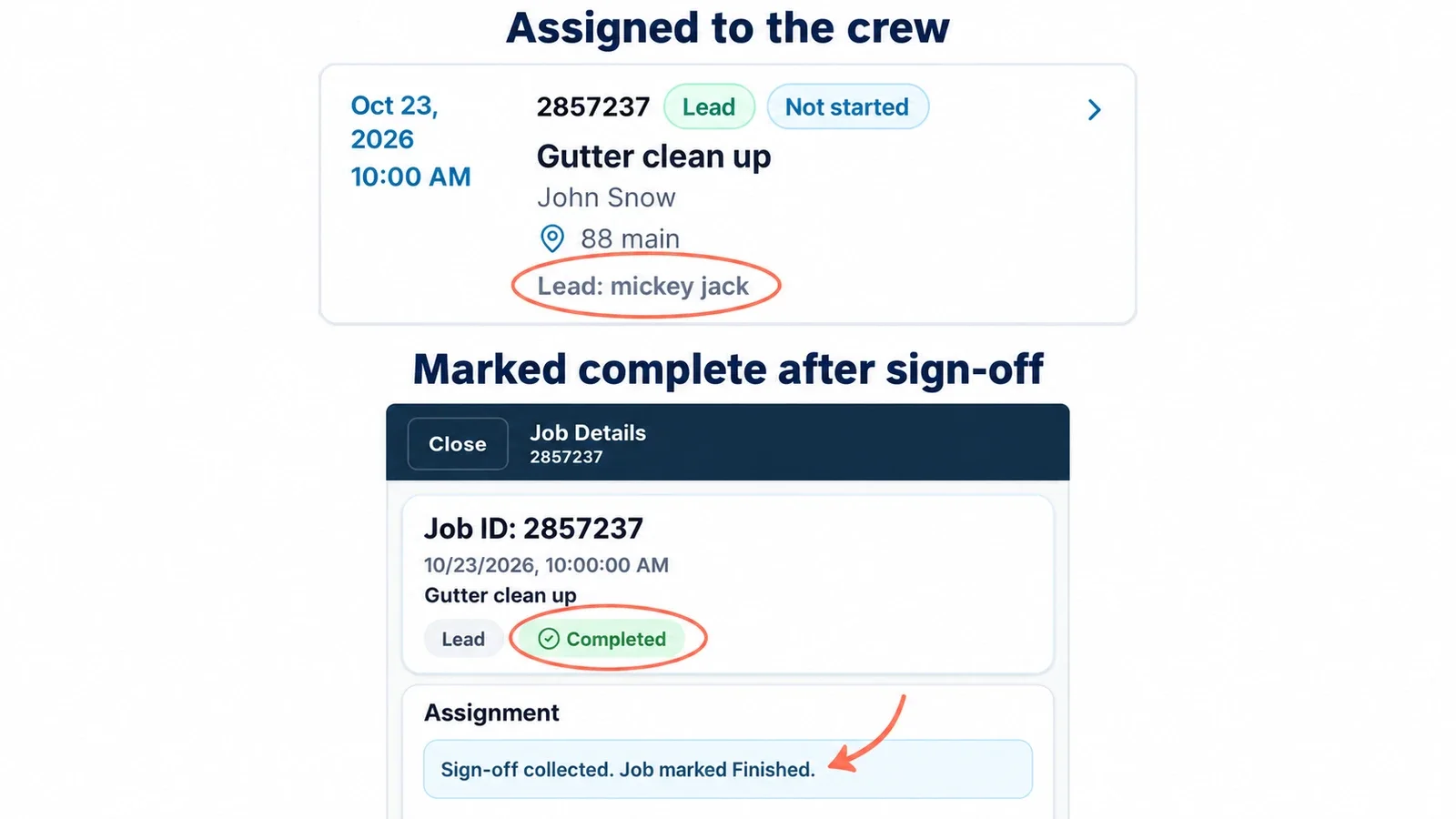
Shookio lets you schedule jobs and assign a lead and helpers. Assigned workers can find their work in My Jobs and open the details from their phone. The gutter-cleaning example at the top of this guide shows the scheduled time, service address and assigned lead together.
Before sending the crew, add the details that prevent a second phone call:
- Scope: front and rear gutters, downspout flushing, and whether debris removal is included.
- Access: which gate to use, parking instructions and whether the customer will be home.
- Equipment: ladder or access requirements to assess before the visit.
- Follow-up: anything that needs a separate quote or the owner’s review.
Group nearby jobs when planning your day, and leave room for travel and jobs that take longer than expected. If weather forces a change, update the schedule and confirm the new arrangement with the customer.
3. Track the work and record completion
Once a worker opens an assigned job, they can check its details and update its status. This gives the owner a clearer view of the work without relying only on calls and texts.
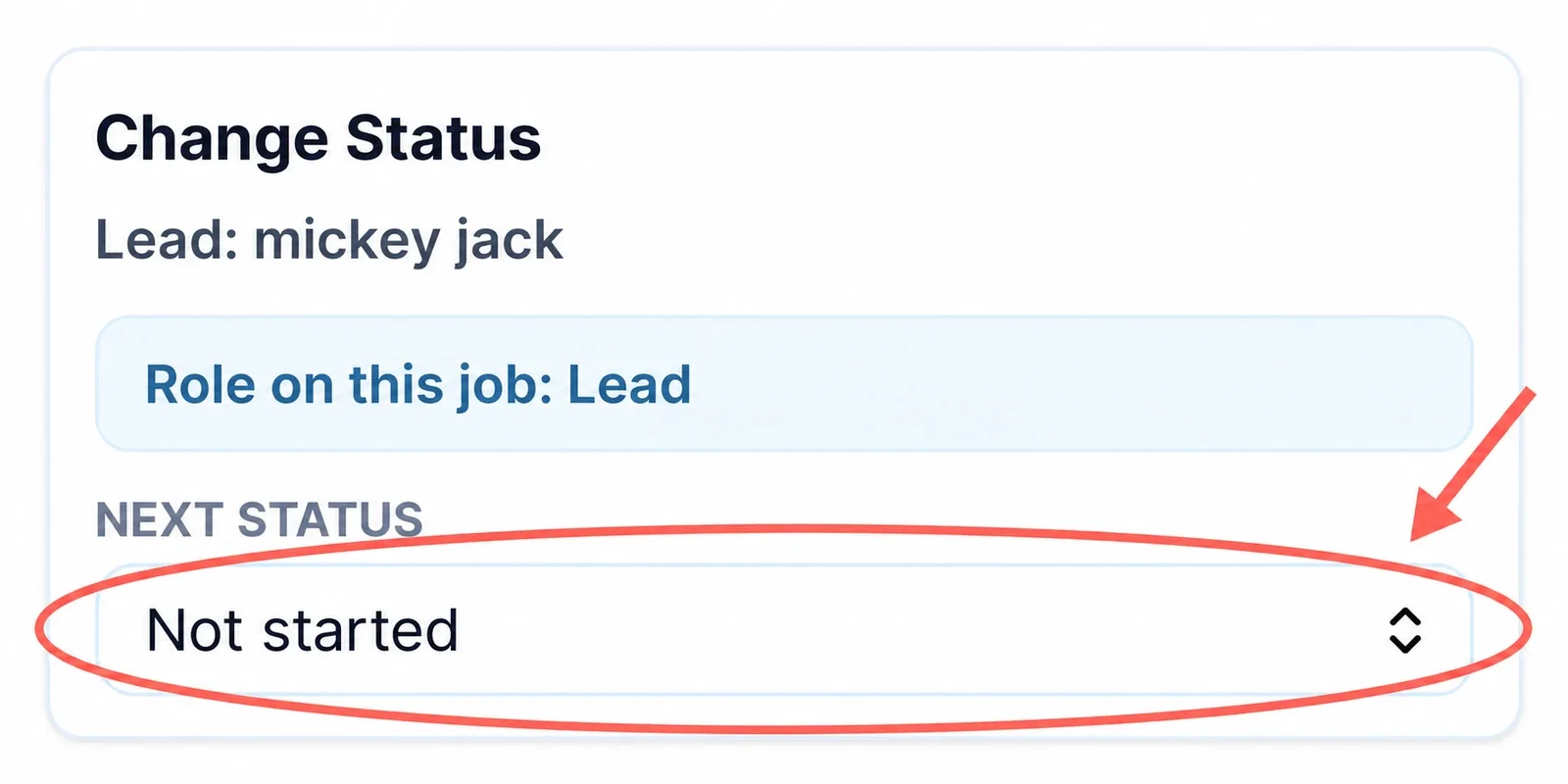
The status selector is inside the worker’s job details. This example is still marked Not started.
For jobs that require customer sign-off, the worker records a work summary and collects the customer’s signature before finishing. In the example shown at the top, Shookio displays Completed and confirms that sign-off was collected.
Write a specific summary, such as “Cleared leaves from front and rear gutters; flushed the agreed downspouts; bagged debris.” Record any work that was outside the agreed scope so it can be discussed separately.
Completed work and collected payment are different things. A green completed badge tells you the work is finished. Check the invoice or payment record to confirm that the customer has paid.
Shookio also includes timecards so you can review worker hours. Keeping job progress and time records organized makes it easier to look back at a busy week.
Try this workflow with 3 months free
4. Send invoices and accept payments through Stripe
Finishing the gutters should lead to a clear bill. Use Shookio to prepare an estimate when a customer needs a quote, then create and send an invoice for the agreed work.
Make the service description easy to understand. “Gutter cleaning” may leave questions; “Clear and remove gutter debris; flush accessible downspouts” tells the customer more about what they are paying for. Include only the services you agreed to perform.
Shookio uses Stripe to process customer card payments. Connect your business’s Stripe account through Shookio and complete Stripe’s setup before accepting payments. Once your account is ready, you can offer these payment options:
| Where the customer is | How they can pay |
|---|---|
| With you after the job | Open the online checkout for the customer to complete payment |
| Using their own phone | Show the payment QR code so they can scan it and open checkout |
| Away from the property | Email a payment link so they can review the amount and pay |
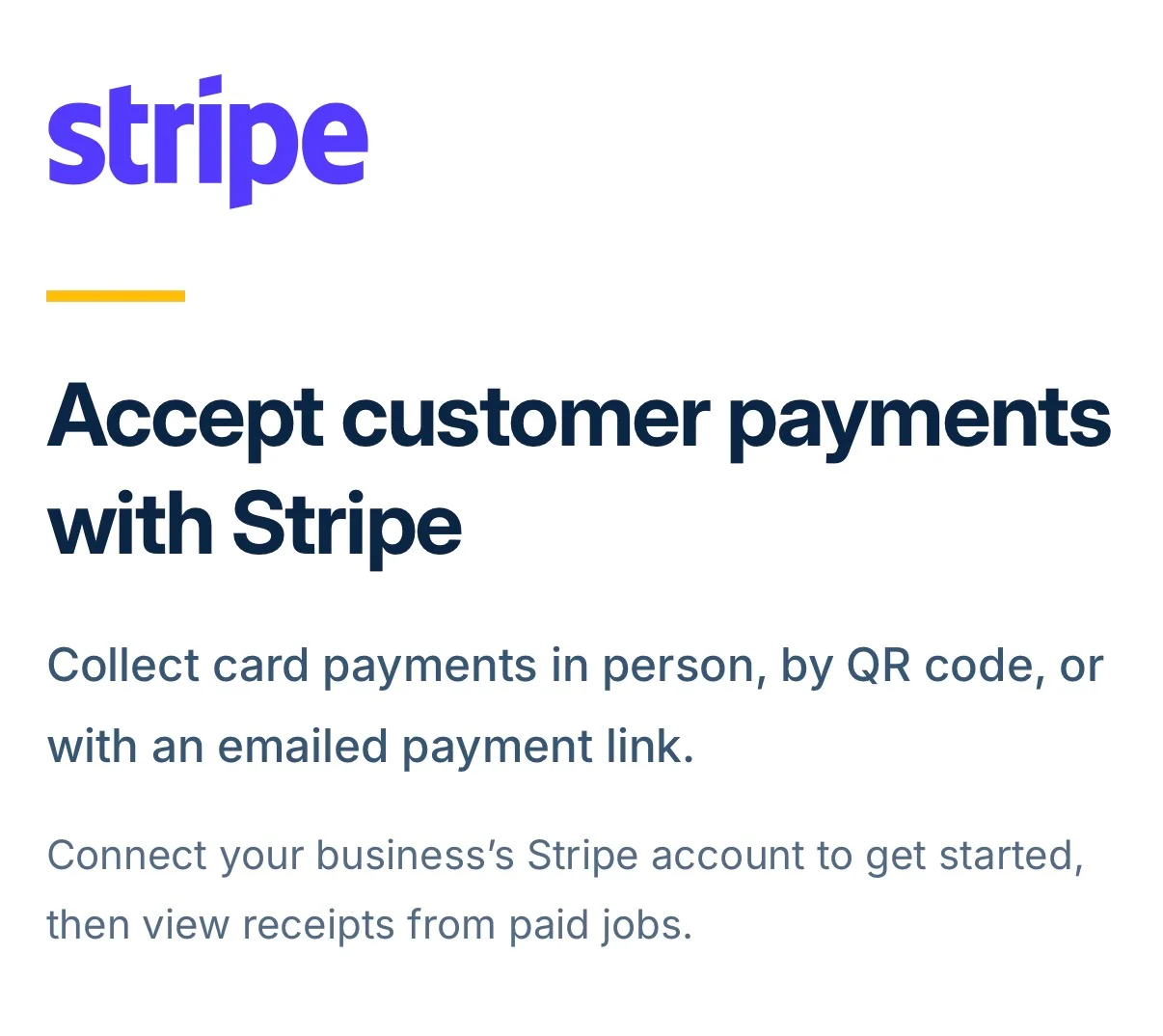
Shookio manages the job and payment workflow; Stripe processes the card payment. These are online checkout options, not a physical card reader.
For example, a homeowner who is at work can receive the invoice and a payment link after the gutter cleaning. They can review the charge and pay without arranging another visit. Confirm the successful payment in the record, then view the receipt when needed.
Payment processing fees are separate from the software subscription. Review the rates that apply to your Stripe account, including during a free Shookio trial. Our Stripe payments guide explains the checkout options in more detail.
5. Keep repeat gutter-cleaning work organized
When a customer asks you to return in spring or fall, a past job record gives you a starting point. Review the previous service, notes and billing before arranging the next visit.
Shookio includes recurring jobs for repeat work. Use them for an agreed service schedule, then review the upcoming visits as the season approaches. The right cleaning frequency depends on the property and the customer’s needs; confirm the scope, timing and price rather than assuming every house needs the same plan.
This also helps when gutter cleaning is one part of your business. You can manage related lawn care, leaf removal or other services in the same workspace.
How much does Shookio cost?
Shookio’s Solo plan starts at $29 per month and includes the owner plus one worker. Larger plans support larger teams. Check the current pricing page for plan limits, billing options and the price that will apply after your offer ends.
When comparing gutter cleaning software, look at the full cost: the subscription, the number of people included, payment processing fees and any extras you need. Then try a realistic job from request through invoice on your phone.
Request the three-month free trial offer
The fall offer gives you time to test Shookio with the work you already do:
- Open the offer page and tell us about your business, crew size and goals.
- Choose the service-business plan you want to try.
- Watch for the special signup link by email and review the terms before activating it.
Use the special offer link to receive the three-month trial. Submitting the request form does not start a subscription. A card is required at activation, and regular plan pricing applies after the free period unless you cancel before the trial ends. Stripe processing fees still apply to customer payments.
Prefer to look around first? Explore the Shookio demo.
Gutter cleaning software FAQs
What is the best gutter cleaning software for a small business?
The best fit depends on how you work. For a solo owner or small crew, prioritize booking requests, scheduling, assignments, job records, estimates, invoices and payments that are easy to use on a phone. Shookio brings these tasks together. Test your own workflow before deciding.
Can a one-person gutter cleaning business use Shookio?
Yes. You can organize your own jobs, customer requests and billing, then use worker assignments when you add a helper. You do not need a large crew to benefit from keeping the work in one place.
Do customers book jobs automatically?
Customers submit appointment requests through your public booking page. You review and approve them before they become jobs, so you keep control of the schedule.
Can customers pay for gutter cleaning by card?
Yes, after your business has connected and enabled Stripe payments in Shookio. Customers can use online checkout, scan a payment QR code or follow an emailed payment link. Your business completes the Stripe setup; customers do not need to create a Shookio account just to pay.
Does a completed job mean it has been paid?
No. Job completion records the work. The invoice or payment record confirms payment. Review both when closing out your day.
How does Shookio compare with Jobber or Housecall Pro?
Start with the features your crew needs, the team size included and the full price. If you are comparing those products, see our Shookio, Jobber and Housecall Pro comparison, then verify each provider’s current plans before choosing.
More guides for your gutter-cleaning business
- How to start a gutter cleaning business
- Gutter cleaning equipment list
- Field service software for small businesses
Published by Shookio. Screenshots show an example gutter-cleaning workflow; selected images are cropped and annotated to highlight the controls.